
How It Works
From script to final cut, without switching tools
MediaSnap keeps every part of your production in one place. Plan, generate, assemble, and export inside a single structured workflow.
Start your first productionThe production workflow
01
PLAN
Script, scenes & shots in the Director Board
02
GENERATE
Context-aware images, video, voice & audio
03
COMBINE
Assemble the timeline in Production Studio
04
EXPORT
Render MP4 or download the full project bundle
PLAN
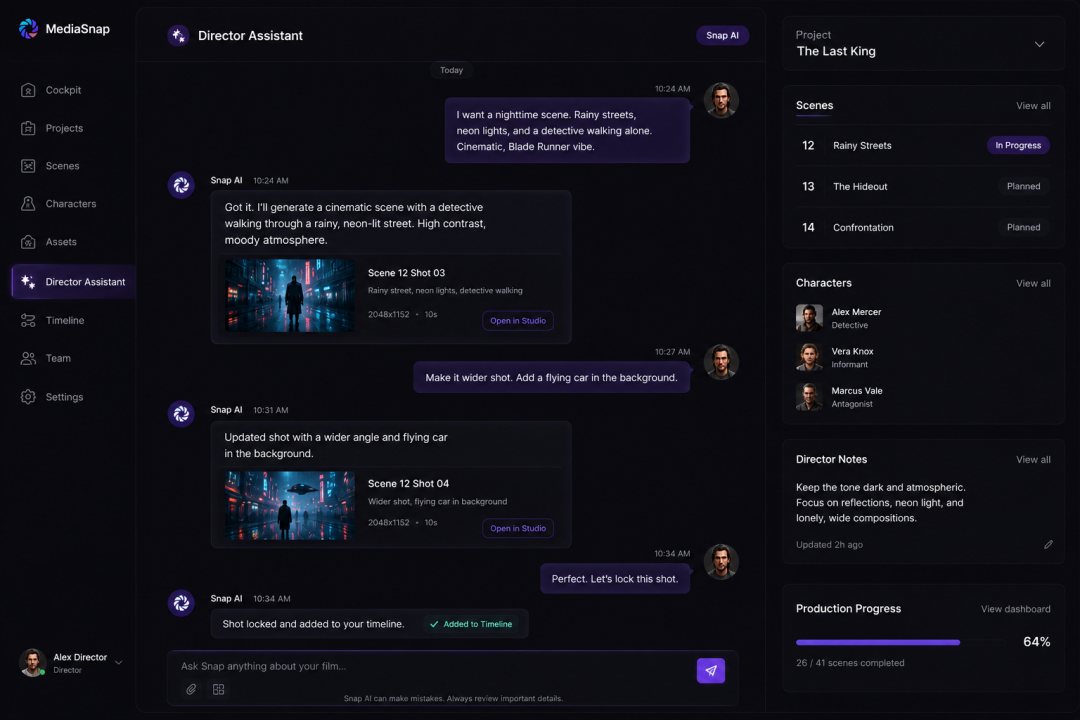
Start with a script. Not a prompt.
The Director Board turns your idea into scenes, shots, and production elements, with Snap AI as your co-director.
Every creative decision stays inside one project, not scattered across disconnected tools.
Snap
Scene 1: Morning Light
Scene 2: Silk & Reflection
Scene 3: Perfume Reveal
Scene 4: Emotional Closing
Director Board: script, scenes, and shot panel
Snap
I'll use Sophia as the character reference, Luxury Bedroom as the environment, and golden morning light as the visual direction.
Do you want soft luxury realism or more cinematic fashion-commercial styling?
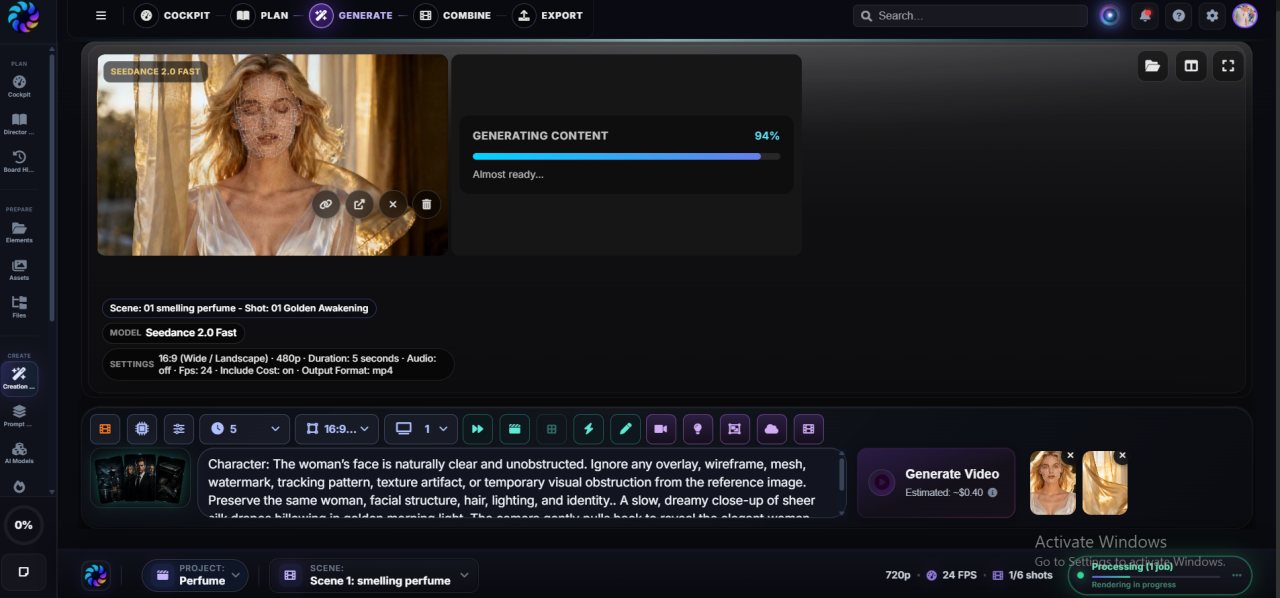
Creation Engine: shot cards with connected media
GENERATE
Snap knows your production. Every generation does too.
Generation pulls from your script, characters, locations, and shot list. Not a blank prompt box.
Images, video, voice, and audio stay linked to the shots they belong to.
COMBINE & EXPORT
Edit the timeline. Then call it a film.
Production Studio: layered timeline editor
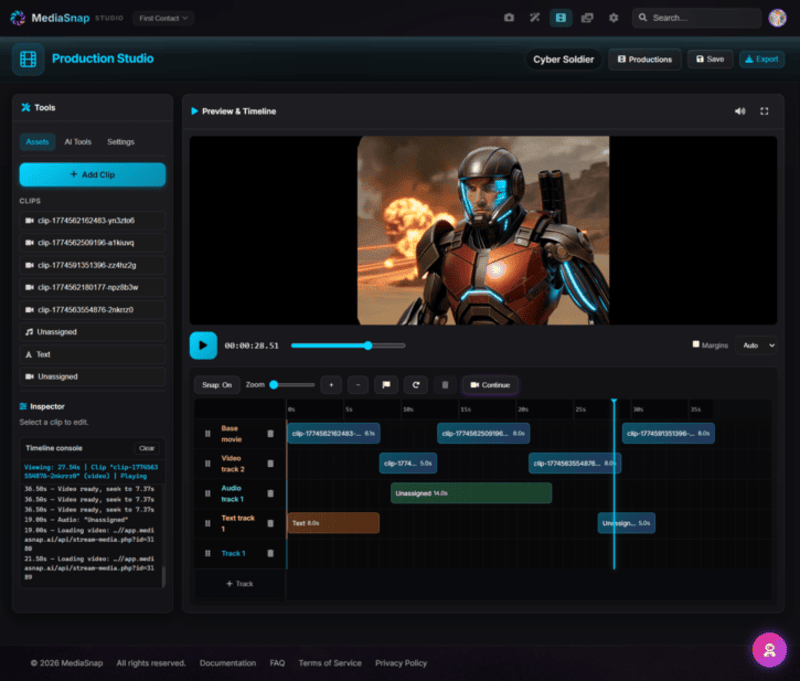
Production Studio is a layered timeline built for AI productions. Drag shots, layer audio, and polish pacing without leaving the project.
Export center: MP4 render and project bundle
When the cut is ready, export a shareable MP4 or the full project bundle for reuse and collaboration.
Your shots, story, and media context stay connected from first idea to final render.
The real problem is not generation. It is production.
Open your first production Read the full production guide