
Creation Packs
Reusable Prompt Systems—Not One-Off Paste Jobs.
When every campaign starts from a blank text box, you reinvent tone, constraints, and output shape from scratch. MediaSnap Creation Packs package variables, guardrails, and presets so teams ship consistent looks across Generator runs.
The problem
Prompt chaos at scale
Docs and chat threads do not travel into the studio where you actually generate.
- Brand voice drifts when everyone free-types their own system prompts
- Hard to reuse what worked last quarter without hunting old exports
- No shared slot for product name, aspect ratio, or legal disclaimers
The fix
Creation Packs
Curated templates you open, fill, and run—inside MediaSnap.
- Editor for building and versioning pack definitions
- Marketplace path for discovering packs when you are not signed in
- Flows that still respect production context when you jump to the Creation Engine
Core idea
Prepare once, generate many times
Packs encode the decisions you do not want to repeat every session.
Use Creation Packs to lock look-and-feel, safety language, and structured inputs. Swap the variables per campaign while the backbone of the prompt stays stable—ideal for social series, product drops, and episodic content.
Inside the tool
What a pack can carry
Building blocks teams actually share—not a single static string.
Layers
Stack prompt sections for role, format, and negative space.
Fields
Named slots for headlines, SKU, talent, or shot type.
Versions
Iterate packs without losing the last-known-good copy.
Marketplace
Publish or install packs when you want a head start.
Workflow
Where Creation Packs sit
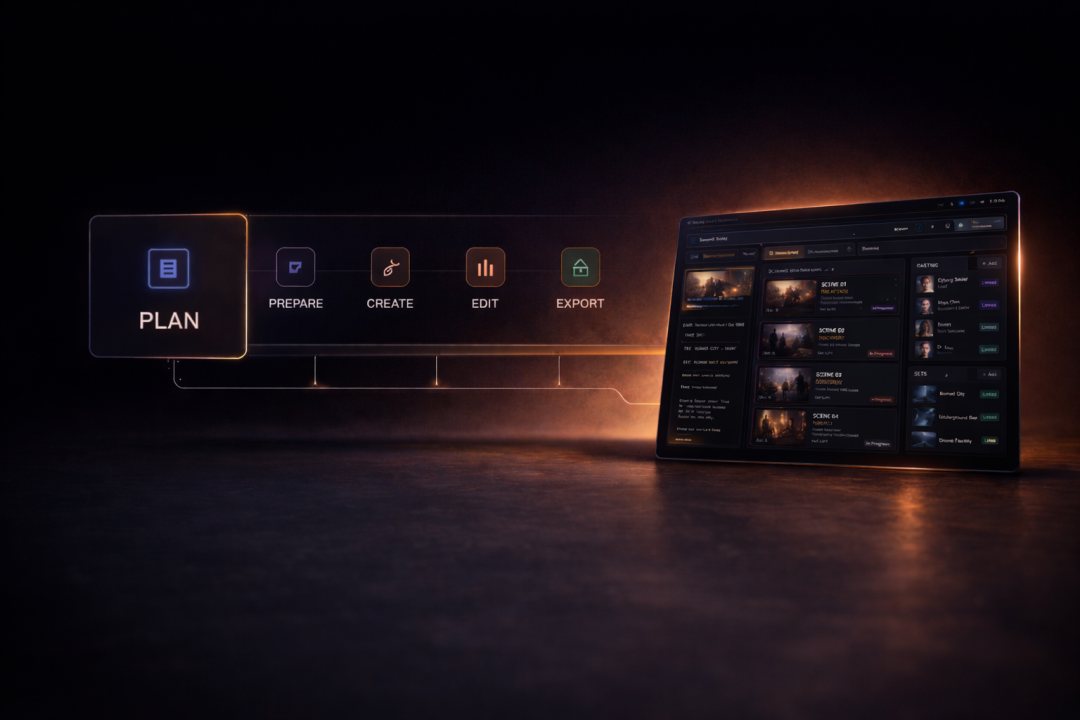
This is the Prepare stage of the studio.
After assets live in Productions and plans exist in Director Studio, packs shape your direction—before pixels render in the Creation Engine or land on the Production Studio timeline.
Outcomes
Why it matters
Repeatable quality without slowing creatives down.
Brand-safe defaults
Shared packs keep tone and compliance baked in.
Faster onboarding
New teammates pick a pack instead of reverse-engineering prompts.
Measurable tweaks
Change one layer and compare outputs across productions.
Market velocity
Install packs from the marketplace when you need a new vertical.

Next step
Build or browse packs
Open the pack editor in Studio, or explore the marketplace.